What’s supported
Supported actions
This connector supports:- Proxy Actions, using the base URL
https://api.supersend.io.
Example integration
To define an integration for SuperSend, create a manifest file that looks like this:Using the connector
This connector uses API Key authentication, so you do not need to configure a Provider App before getting started. (Provider Apps are only required for providers using the OAuth2 Authorization Code grant type.) To integrate with SuperSend:- Create a manifest file like the example above.
- Deploy it using the amp CLI.
- Embed the InstallIntegration UI component, which will prompt the customer for their API key.
- Start making Proxy Calls, and Ampersand will automatically attach the API key supplied by the customer. Please note that this connector’s base URL is
https://api.supersend.io.
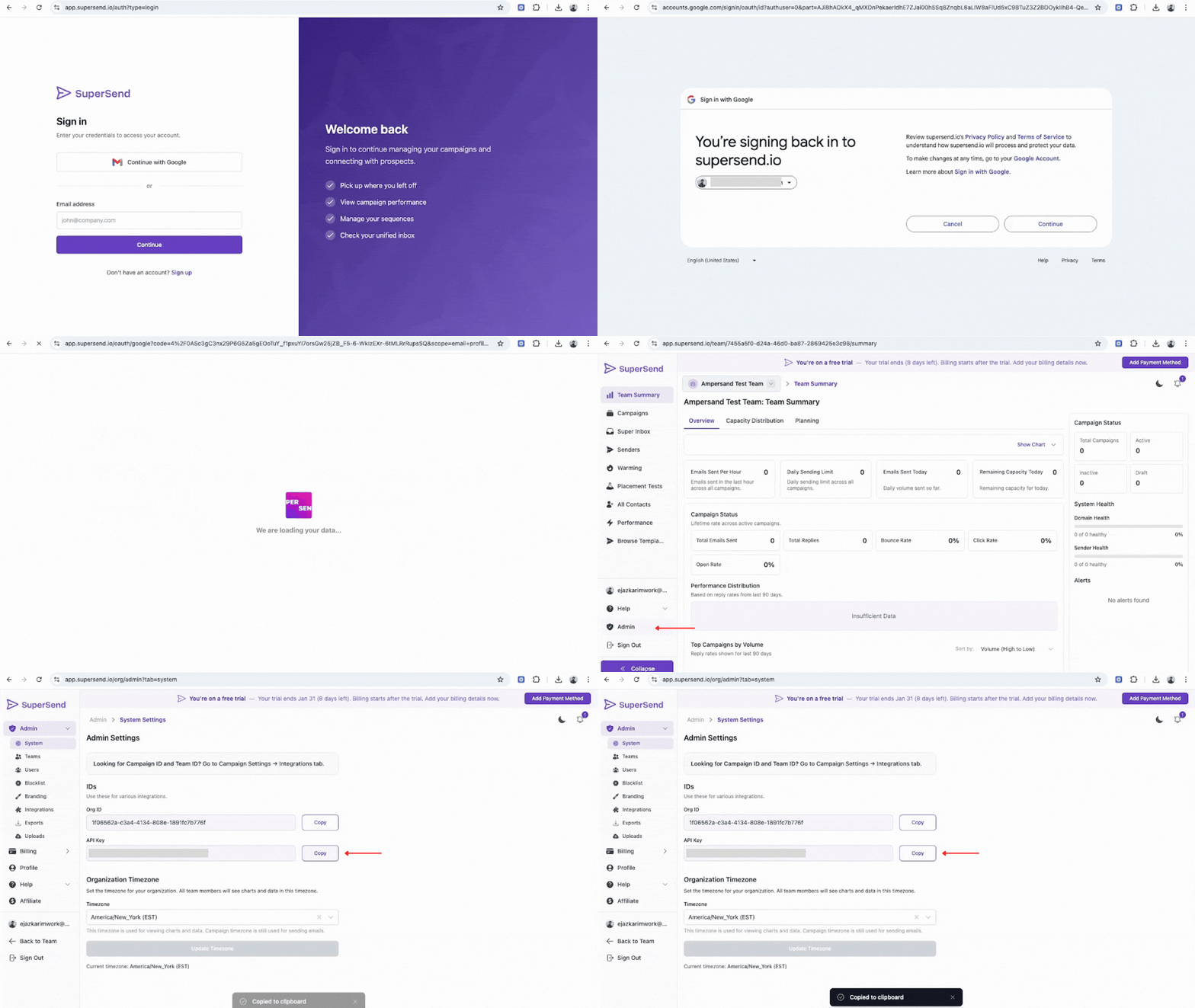
Creating an API key for SuperSend
- Log in to your SuperSend account.
- Navigate to Admin > System tab.
- Copy your API key from the settings.