

What’s supported
Supported actions
This connector supports:- Read Actions, including full historic backfill. Please note that incremental reading is only supported for
Insights,Topics,TopicModels,Chats,ChatMessages,Accounts,Contacts,Cases,Calls,Owners,Opportunities,Leads,Objects,TrackerProjects,TrackerIssues, andTrackerComments. For all other objects, a full read of the Four/Four instance will be done per scheduled read. - Proxy Actions, using the base URL
https://fourfour.ai.
Supported objects
The Four/Four connector supports reading from the following objects:- Accounts (supports incremental read)
- CalendarEvents
- Cases (supports incremental read)
- Calls (supports incremental read)
- ChatMessages (supports incremental read)
- Chats (supports incremental read)
- Contacts (supports incremental read)
- Conversations
- Fragments
- Insights (supports incremental read)
- Labels
- Leads (supports incremental read)
- Objects (supports incremental read)
- Opportunities (supports incremental read)
- Owners (supports incremental read)
- Participants
- TopicModels (supports incremental read)
- Topics (supports incremental read)
- TrackerComments (supports incremental read)
- TrackerIssues (supports incremental read)
- TrackerProjects (supports incremental read)
Example integration
For an example manifest file of a Four/Four integration, visit our samples repo on GitHub.Before you get started
To connect Four/Four with Ampersand, you will need a Four/Four account. Once your account is ready, you’ll need to create a Four/Four OAuth2 app and obtain the following credentials:- Client ID
- Client Secret
Creating a Four/Four app
- Sign in to your Four/Four account as an admin user.
- Go to Settings > Connections > OAuth clients.
- Click ADD CLIENT and fill in the form.
- Under Redirect URI, add the Ampersand redirect URL:
https://api.withampersand.com/callbacks/v1/oauth. - Save your app settings.
- Copy the generated Client ID and Client Secret.
Add your Four/Four app info to Ampersand
- Log in to your Ampersand Dashboard.
-
Select the project where you want to create a Four/Four integration.

- Select Provider apps.
- Select Four/Four from the Provider list.
-
Enter the previously obtained Client ID in the Client ID field and the Client Secret in the Client Secret field.
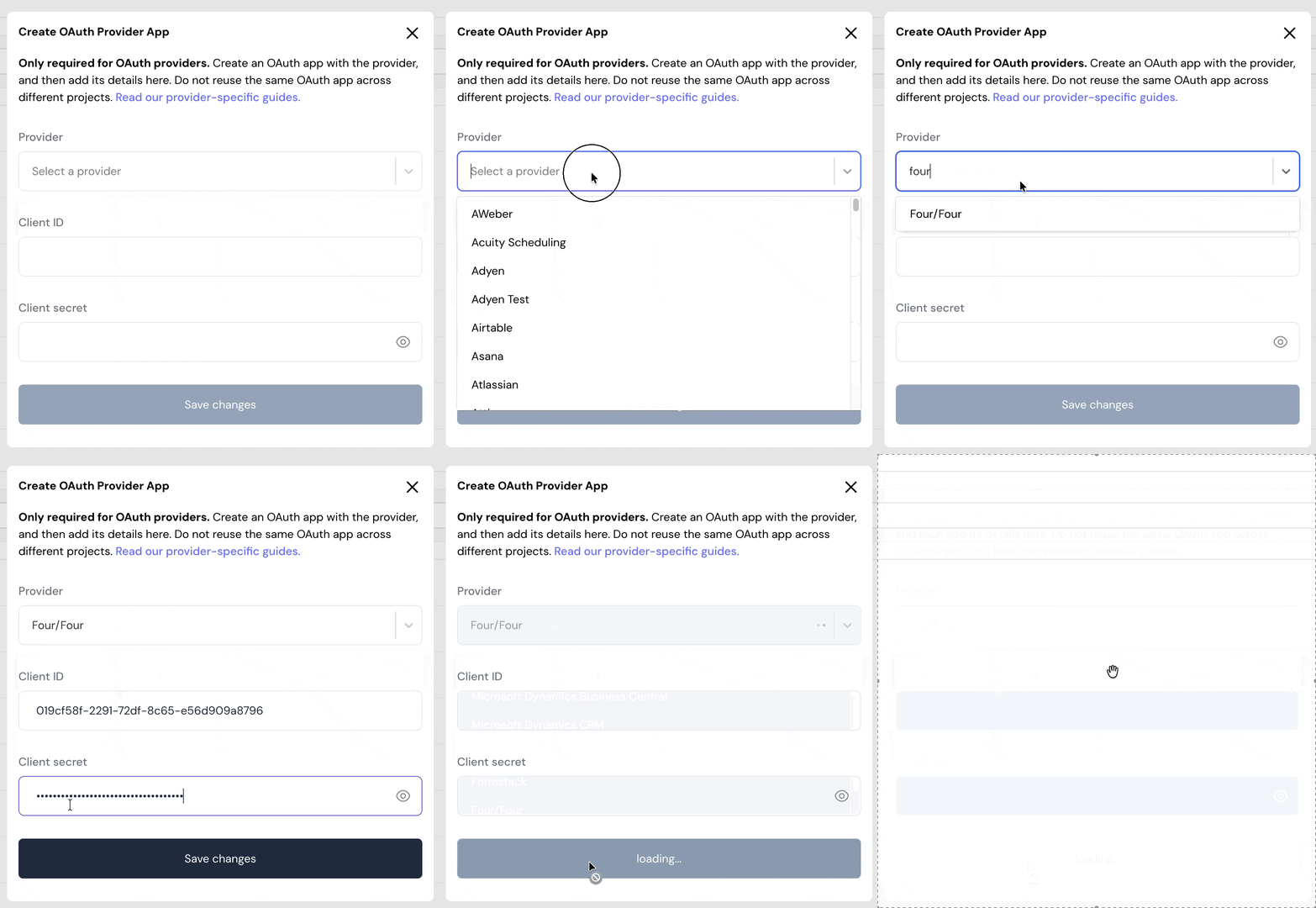
- Click Save changes.
Using the connector
To start integrating with Four/Four:- Create a manifest file like the example.
- Deploy it using the amp CLI.
- If you are using Read Actions, create a destination.
- Embed the InstallIntegration UI component. The UI component prompts the customer for OAuth authorization.
- Start using the connector.
- If your integration has Read Actions, you’ll start getting webhook messages.
- If your integration has Proxy Actions, you can start making Proxy API calls.