

Checklist before you start
Confirm the following:- You are a Housecall Pro Admin user.
- Your Housecall Pro account has a MAX subscription.
1. Generate your Housecall Pro API key
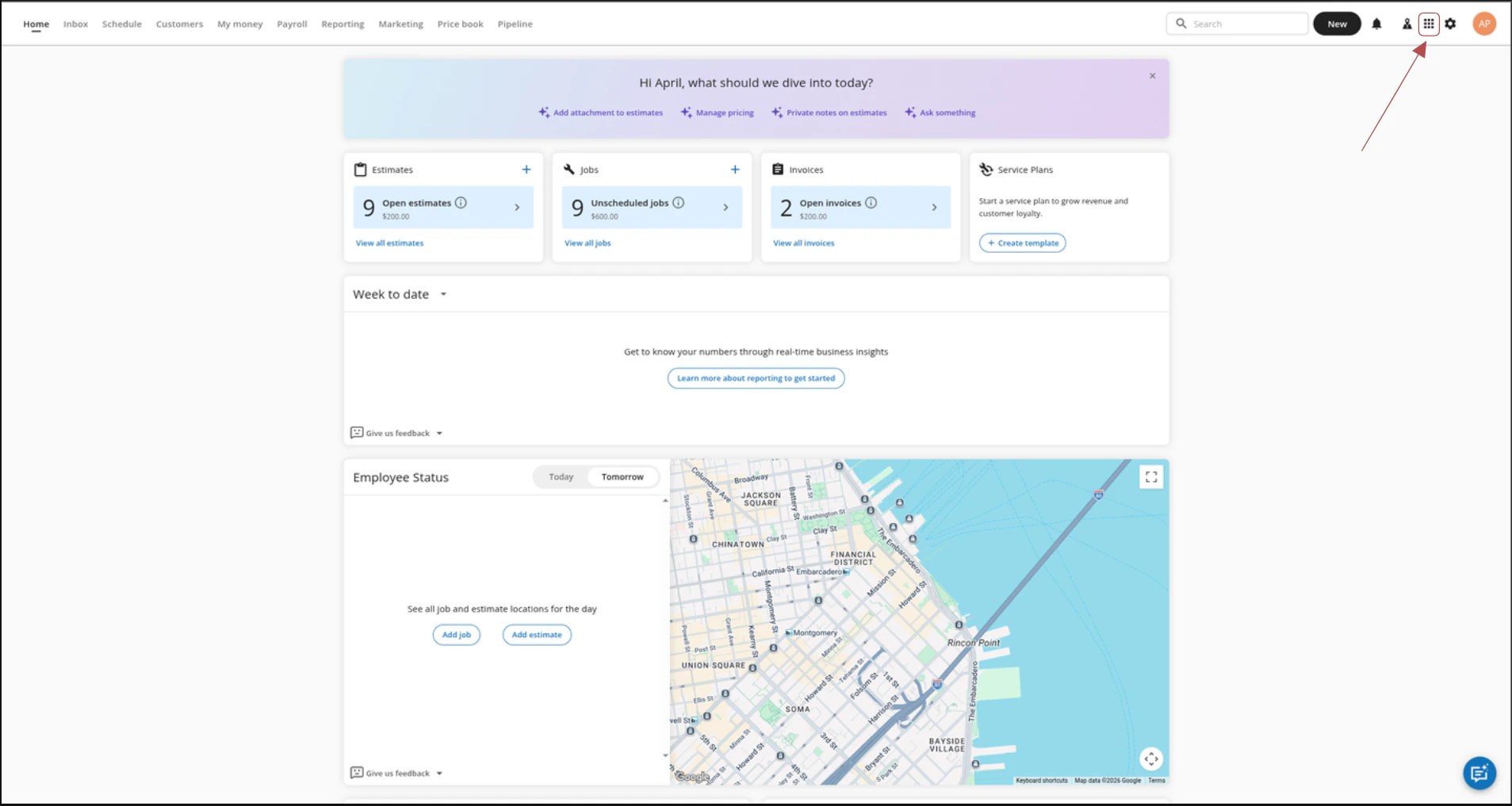
Follow these steps to generate your Housecall Pro API key.- Click the My Apps icon (3x3 grid) in the top-right corner.
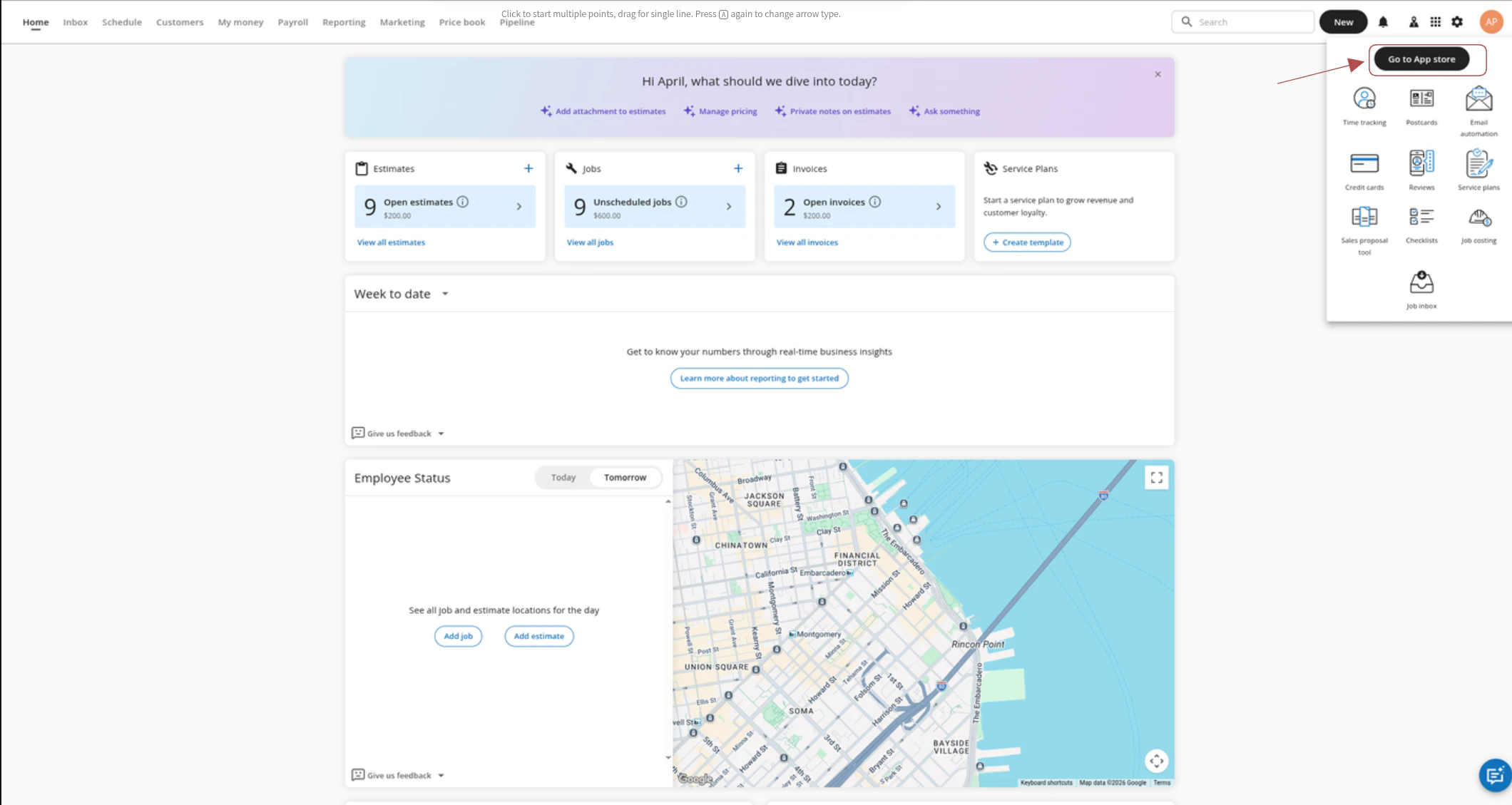
- Click Go to App Store.
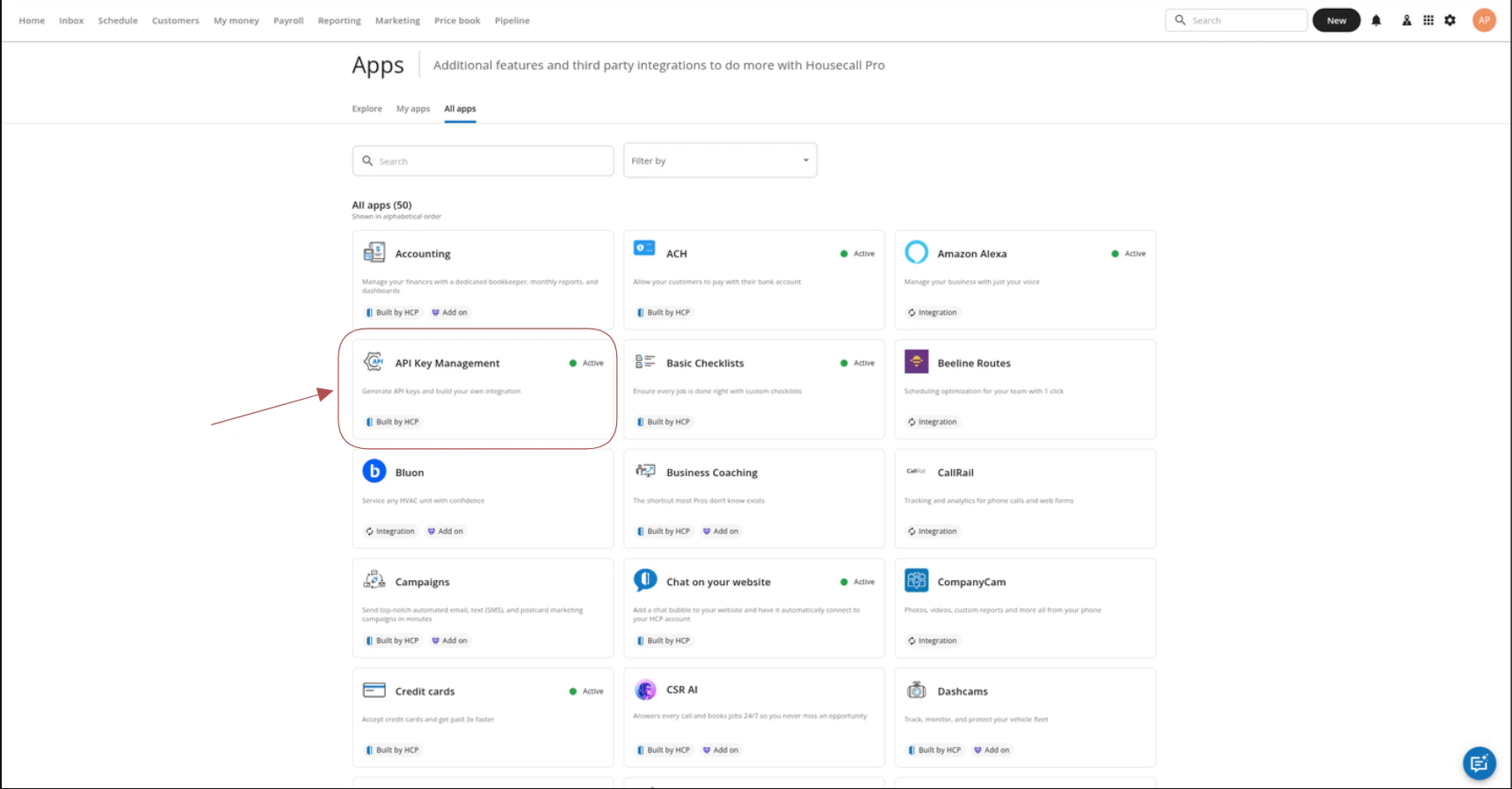
- Under My Apps, find and open the API Key Management app card.
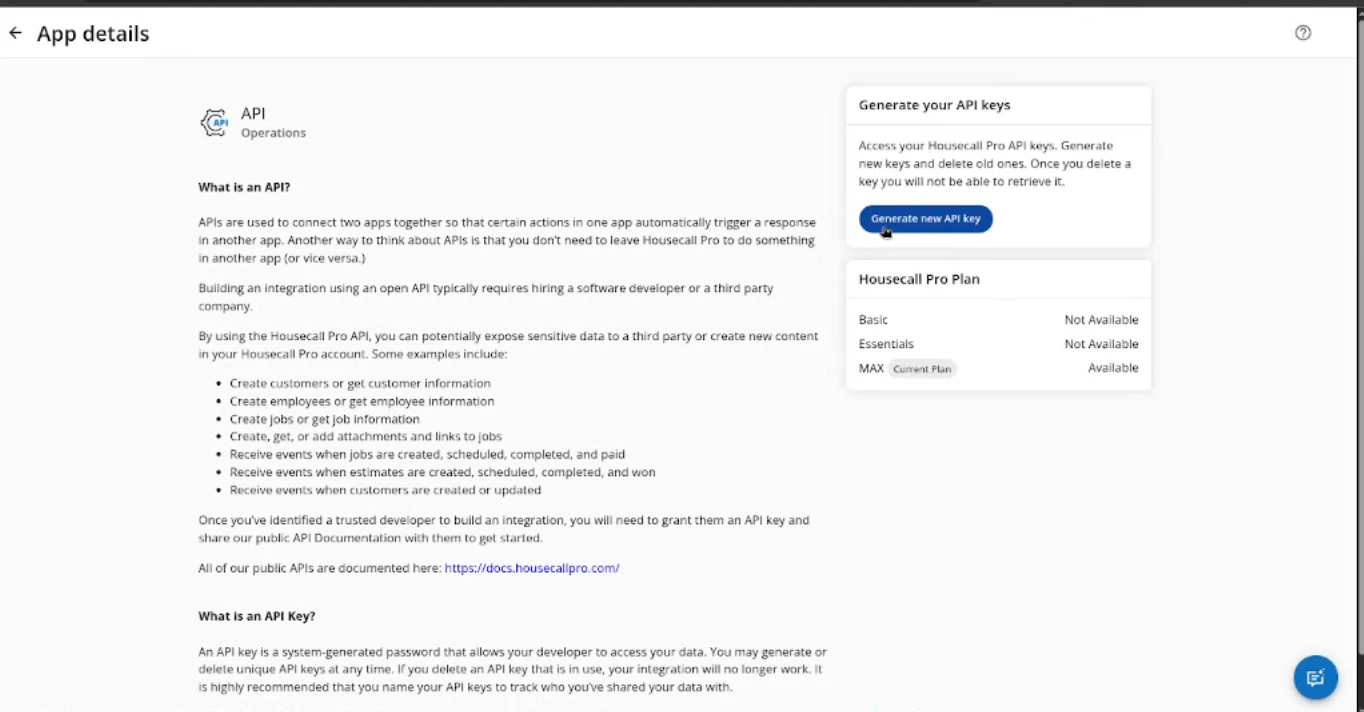
- Click Generate API Key.
- Enter a descriptive name for the key.
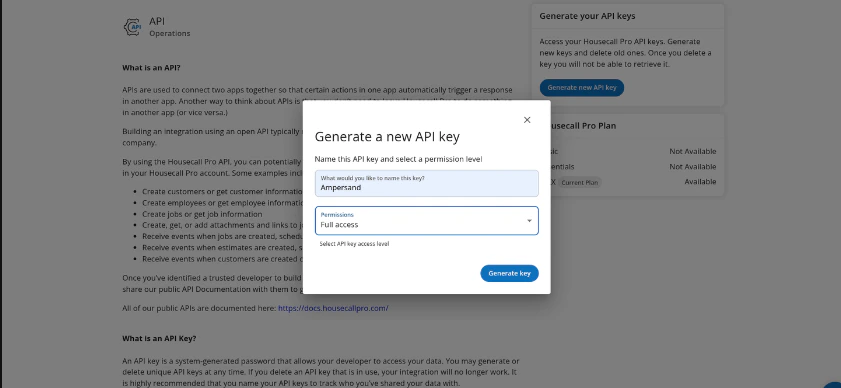
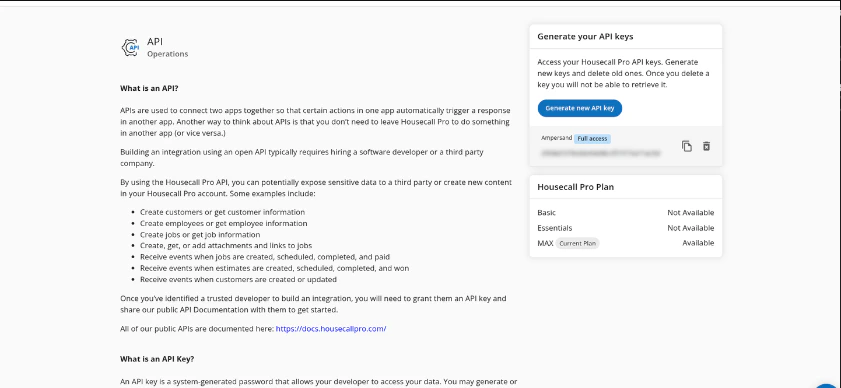
- Copy the API key and store it securely.
2. Set up webhooks for real-time updates (Subscribe Actions)
Skip this section if your developer did not give you a webhook URL, or if you do not need real-time updates. Follow these steps to set up webhooks in Housecall Pro.- Click the My Apps icon (3x3 grid) in the top-right corner.
- Click Go to App Store.
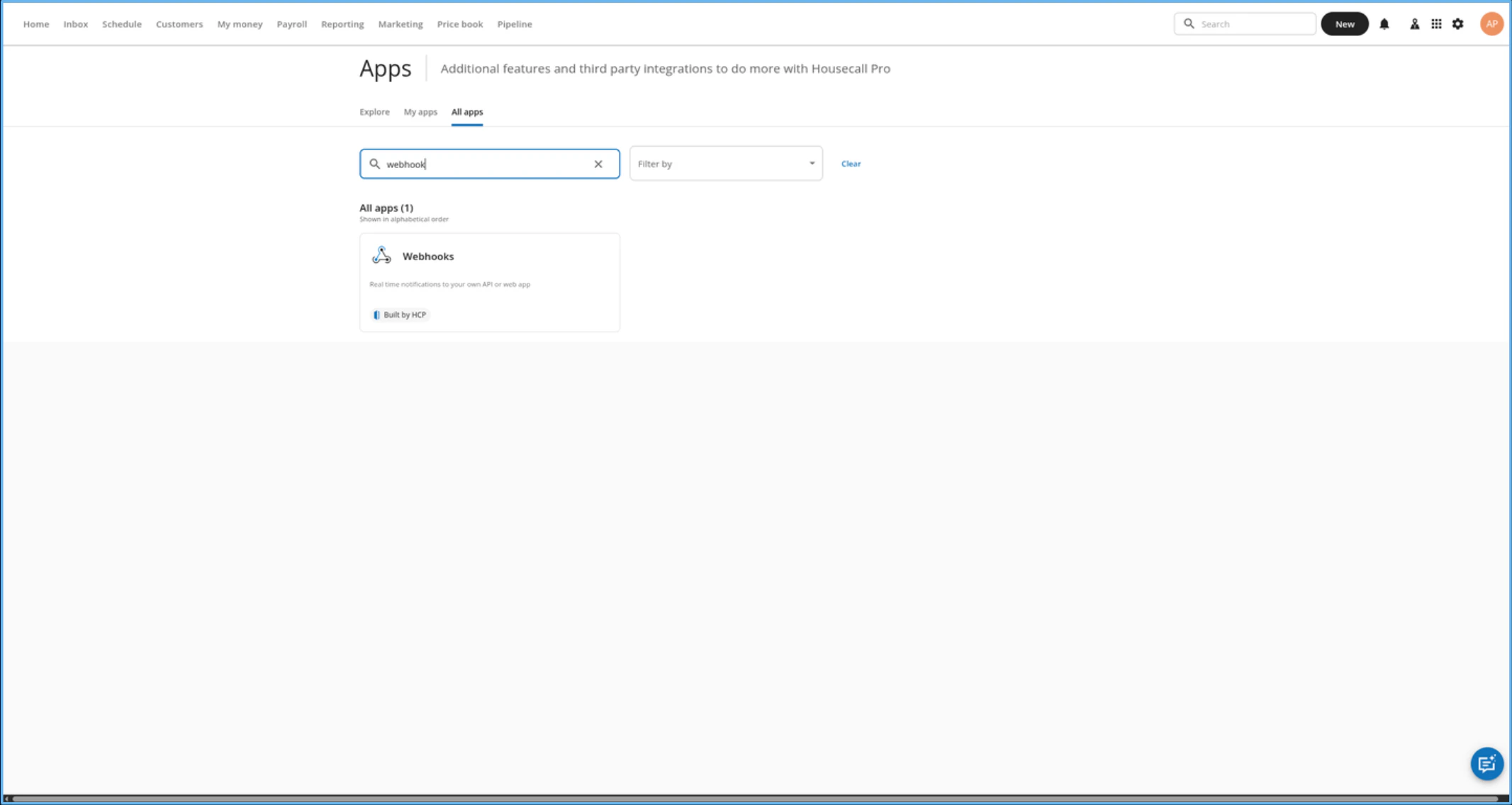
- Under All apps, find and open Webhooks.
- Set Webhooks to Active, paste the link the developer gave you into the Webhook URL field, then click Save.
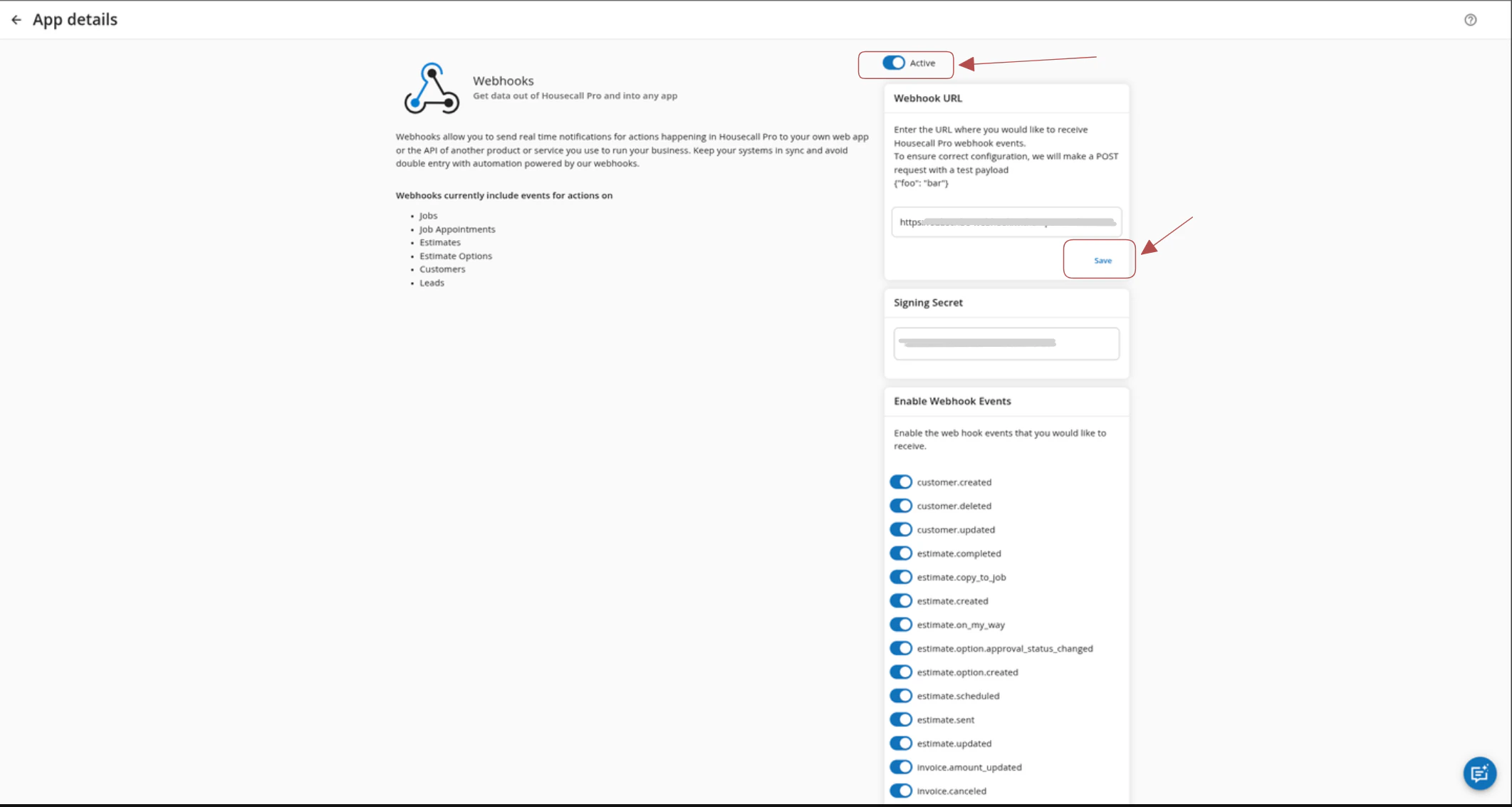
- Enable the webhook events that you want to subscribe to, then click Save.

pro.createdin Housecall Pro means a new employee; the connected product may display it asemployee.created.